
scrollingControl Driver
Last updated: · Active Development — Hardware-Tested Prototype
What we tried, why we chose an approach and what we learned. These are dated accounts; see Progress for the current position and recorded outcomes.
Giving the world map a bank of its own
The 100 × 100 cavern already scrolled smoothly to every edge. The next problem only appears when the engine has company. A fixed address that works in an isolated test may be occupied by the game or another resident driver. The map needs a place it can own and give back.
Start with a single byte
BANK_MINI R3 asked the system for a bank and was given bank 110. Writing 77 and reading 77 back proved the simplest case. After release the second diagnostic was given the same bank. That reuse is the reason to remember the returned bank number instead of putting 110 into the driver.
Check the seam before scrolling
A 16 KB bank spans two 8 KB mapping units. The larger diagnostic checked the world data, padding and the seam between the two halves. It also wrote and read across that seam. An incorrectly tokenised POKE in the original BASIC diagnostic had stopped the test early. The corrected native files made the memory result visible.
Bring the reader to the camera
Those tests isolate map storage. The next test gives the real scrolling routine a banked reader, checks the caller’s mapping after a lookup and compares motion with the B4C4A cavern at both refresh rates. Running it beside other drivers will be a further test of ownership.
From a Scrolling Demonstration to a Configurable World
scrollingControl started with a simple question: could I move around a world larger than the screen? The latest answer is much more useful than the first demonstration. B4C4A now runs different externally prepared worlds through the same hardware-tested scrolling engine. Getting there has involved smooth movement, awkward regressions, camera controls and a much more interesting cavern to explore.
The first steps: a world that moved in tiles
The starting point was a 100×100 tilemap using the original cave graphics. Loading the map and navigating its coordinates worked, but the view could only move one complete 16×16 tile at a time. That was a useful proof of the data and navigation, yet the large jumps were not suitable for the professional scrolling game I wanted to build. The world existed; the camera still needed to become convincing.
Letting the hardware do the scrolling
Moving to the Spectrum Next’s Layer 3 hardware tilemap gave us pixel-level movement. The first result worked, but it was noticeably jerky. Finer steps alone were not enough: the engine also needed an efficient way to maintain the scenery and a safe time to update it.
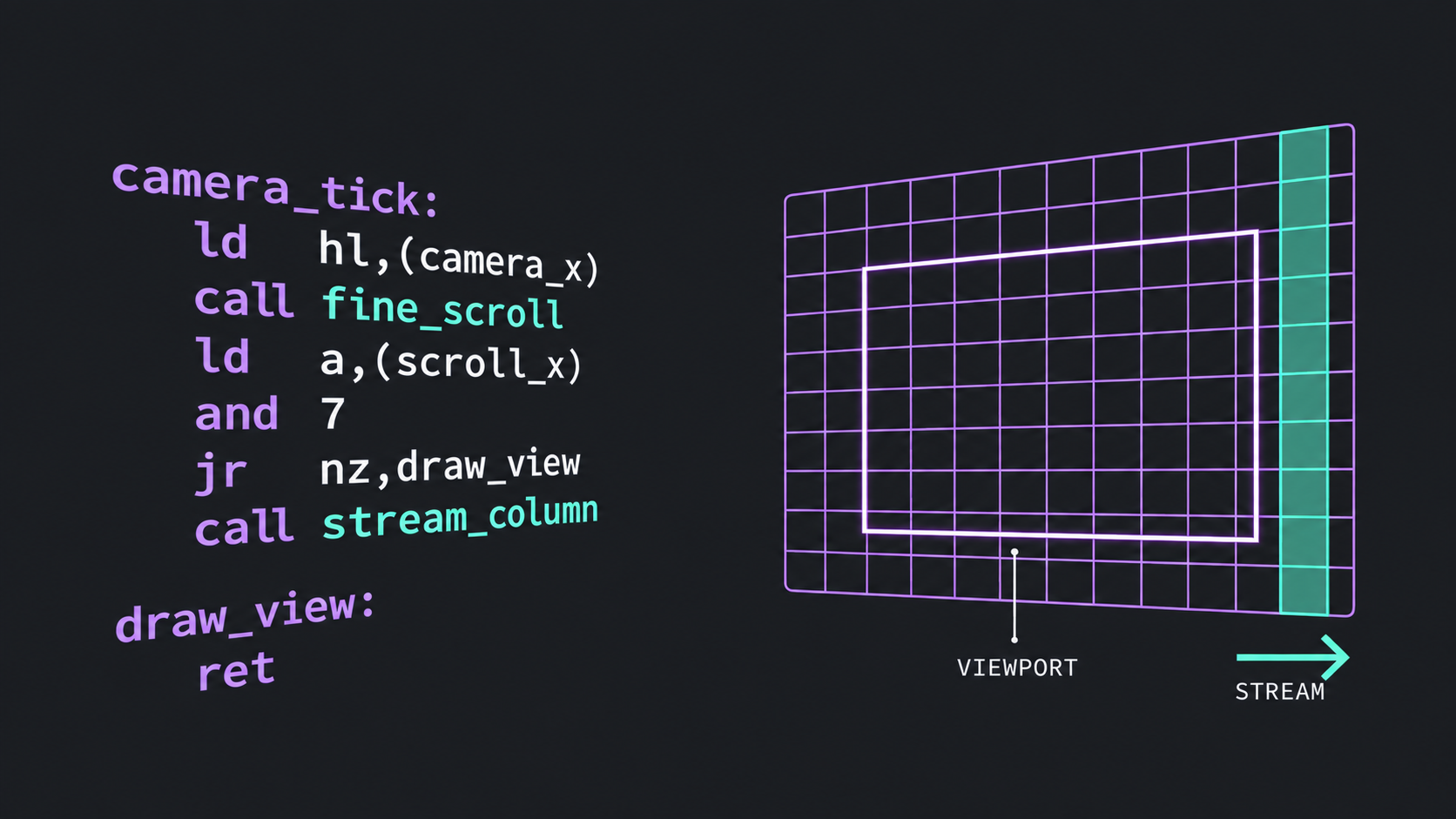
A rolling 40×32 hardware tilemap became the working window into a world made from 16×16 logical tiles. As the view travels, tile streaming brings newly exposed rows and columns into the buffer. The engine reuses what is already there instead of rebuilding the complete scene for every small camera movement. Combined with raster synchronisation, that produced very fast, smooth scrolling in all eight directions, with successful tests at both 50 Hz and 60 Hz.
The problems that taught us where the boundaries were
Some of the hardest problems appeared beyond the obvious scrolling code. Unsafe graphics-memory arrangements could corrupt the screen. Moving a standalone engine into a resident NextZXOS driver introduced a different set of ownership and lifecycle constraints. A routine that worked in isolation was not automatically safe beside BASIC and other resident code.
Distortion lines showed why the timing of display updates mattered. Camera-coordinate and boundary errors needed careful tests at the edges, not just movement through the middle. One repeatable corruption problem appeared when travelling around the third corner of the world: a good reminder that a clean first lap along one edge does not prove every route. Keyboard-matrix interactions could even change the apparent scrolling speed when keys were combined.
The lesson was to preserve hardware-tested builds while investigating regressions. Each accepted result gave us something concrete to compare against. Raster-synchronised updates removed the visible scrolling artefacts encountered in testing; responsive keyboard handling now supports simultaneous directional movement, and the normal shutdown path returns successfully to NextBASIC. Those successes are valuable checkpoints, while unexpected-interruption recovery remains unfinished.
Four ways to move the camera
The camera grew beyond direct keyboard movement. Manual mode keeps that immediate control. Follow mode tracks a target expressed in world coordinates. Auto-scroll supplies automatic travel, and Scripted mode moves between chosen destinations. Boundaries and speeds are configurable, with optional diagonal speed normalisation.
These modes make the same foundation useful in different games. A platformer or RPG can follow a character, a shoot-em-up can advance the view automatically, and a scripted journey can introduce a location or move between scenes. This does not mean those complete games or their integrations are finished; it means the camera is no longer tied to one demonstration.
A cavern worth exploring
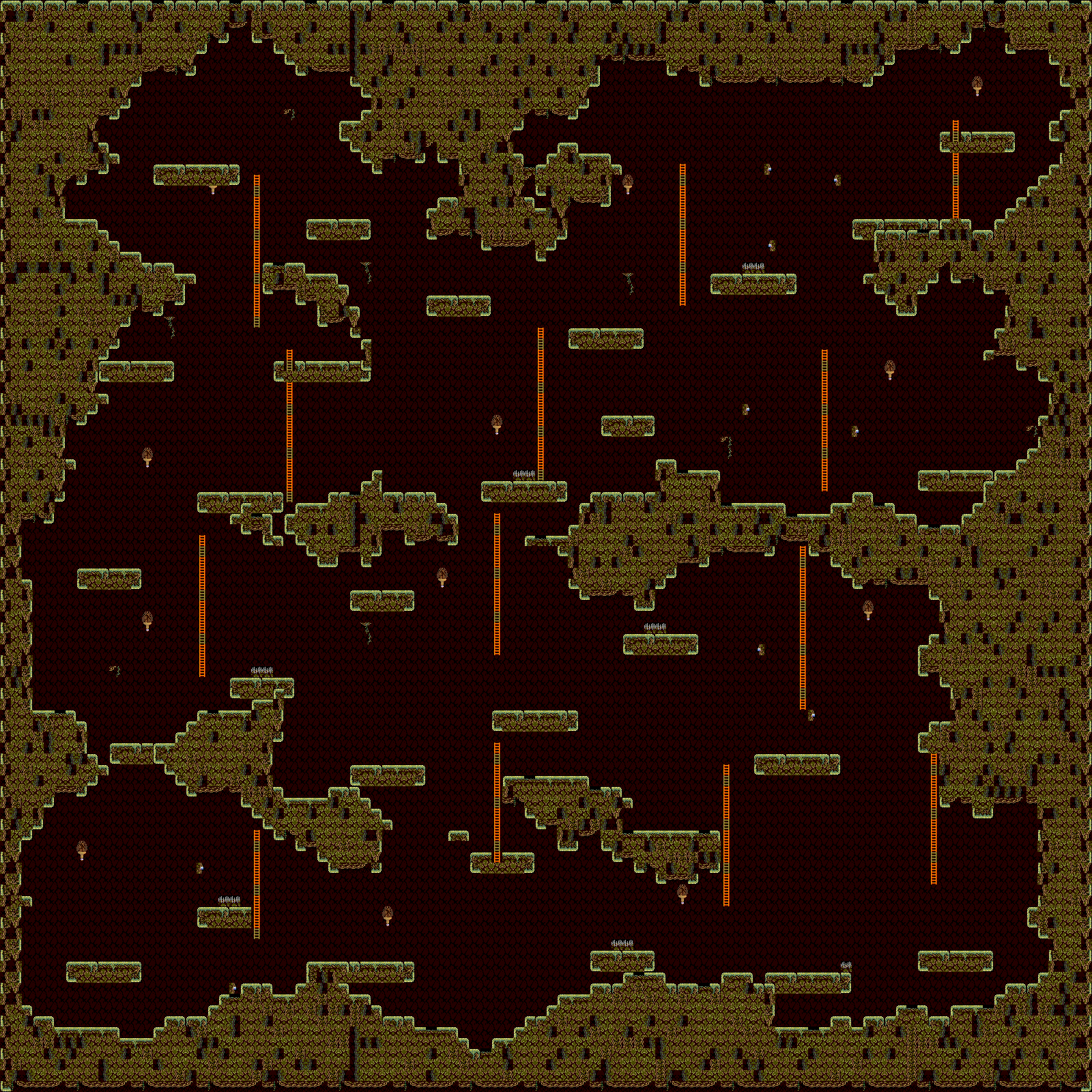
The original uniform map had done its job, but it was not a particularly interesting place to travel through. Platformer Cavern V2.1 replaced it with a more organic 100×100 environment: interconnected caverns, platforms, ladders, rocky formations and decorative details. The original MAP.spr tile patterns and palette were preserved, so the change came from arranging the existing scenery into a more useful test world.
From one world to many
The most important step was making the world configurable. A fixed 100×100 demonstration can prove scrolling, but a reusable driver needs to accept a different map without being rebuilt around it. B4C4A moved world dimensions into externally prepared map data.
The full cavern, an 80×64 section and a 64×48 central section all passed hardware testing using the same scrolling engine, without recompiling it for each map. The engine can now adapt its view and boundaries to those supplied dimensions. That is a substantial step towards a genuinely reusable driver, rather than a demonstration that happens to scroll one particular level.
It is still a bounded prototype, not a promise of unlimited map sizes or automatic memory allocation. The current fixed memory arrangements remain an important limitation. The next milestone is about making that ownership safe and explicit.
Check the test environment
The CPU-speed investigation had already shown why the machine settings belong beside the build name. Keeping speed selection in NextBASIC gives the game one place to make that global decision. The separate CPU-speed article explains the broader principle.
Protect the reusable foundation
The configurable worlds exposed the next responsibility: a reusable driver must know which memory it owns and coexist safely with its callers. Preserving the accepted scrolling path while improving that ownership is the purpose of B4C4B. The dated Progress entry records the tested capabilities and outstanding release work.
What we have now is a much stronger foundation: smooth scrolling, useful camera choices and several tested worlds running through one configurable engine. B4C4A is a milestone worth recording, and scrollingControl remains under active development.
A Core Update, a Slower Game, and an Unexpected Discovery
We had reached a point where scrollingControl was beginning to feel convincing. The 100×100 tilemap was moving quickly and smoothly, with horizontal, vertical and diagonal movement working at both 50 Hz and 60 Hz. It was a useful testbed: large enough to travel through, without tying the driver’s progress to a particular game.
A familiar test suddenly looked different
I then updated my KS1 Spectrum Next with the newer core from the work intended for the KS3 generation. Returning to the scrolling test, the result was not what I expected. Movement appeared jerky and there were visible graphical anomalies. After working towards a smooth baseline, it was disconcerting to see familiar code behave differently.
The timing of the change naturally drew our attention to the core update. We started considering whether changed core timing, or the removal of CPU wait states, might have affected assumptions in the scrolling code. Those were possibilities to investigate, not a diagnosis. We had not established that a core change was responsible.
The setting we had not checked
The explanation turned out to be much simpler. The Next was running at 3.5 MHz rather than the 28 MHz setting expected for the test. I had updated the core and gone back to judging the scrolling without first checking the CPU speed.
That changed the direction of the investigation. We were comparing runs with very different processing capacity and treating them as though the environment were the same. Before drawing conclusions about a new core, we needed to restore a comparable configuration. The discovery explained the immediate slowdown; it was not a reason to declare every separate graphical issue solved without retesting it.
It was also a useful reminder that a convincing visual symptom does not identify its cause. A timing investigation can become elaborate very quickly. Recording one ordinary machine setting would have made this particular comparison much clearer from the start.
From a test setup to a shared rule
The conversation then became more interesting than simply adding a speed command to a test loader. Should scrollingControl select the faster mode for itself? What would happen when it shared the machine with movement, audio, speech and presentation drivers?
Letting each driver solve the problem independently would introduce another source of uncertainty. The CPU setting belongs to the whole running programme. A service that changes it during installation or cleanup changes the conditions for everything else, including code it knows nothing about.
We agreed that NextBASIC should own that decision. Drivers should detect the environment, adapt where appropriate and report performance limitations, but never silently change the global CPU setting. That gives the game one place to choose its operating conditions and one place to decide whether an alternative configuration is acceptable.
What I am taking into the next tests
From here, the baseline needs to include more than the name of a driver build. CPU speed, video mode, core version and the machine used belong in the record too. After an update, those conditions should be checked before comparing the feel of two runs.
The common standard is a design decision arising from this experience, not a claim that every driver already implements it. The practical work is to introduce detection, reporting and documented limits in stages, then test the combinations that real games will use.
This began as an apparent regression after a core update. Finding the overlooked 3.5 MHz setting turned it into a better question: how do we make the whole driver family behave predictably when the operating environment changes? That is a more useful outcome than allowing each driver to hide the problem by selecting its own speed.
A shared world for the driver family
Revisiting scrollingControl made it clear that much of the design already existed. Recovering the agreed work gave the implementation a clearer starting point than repeatedly redesigning the camera.
More than a moving view
The driver’s role extends to terrain, moving surfaces and environmental forces. Wind, currents and magnetic influences belong to the world, and they should remain useful even when the camera is fixed. playerControl, shipControl and other compatible movement systems consume that information while retaining control of their own movement and collisions.
Let the environment report what changes
A region transition or strengthening storm could prompt sound, speech, particles and interface effects. Those responses must remain separate from game rules: NextBASIC still decides health, lives, scores and progression. Continuous conditions and change events serve different purposes, and camera movement must not be confused with an entity entering a region.
Consolidate before implementation
The review established a useful order: agree the common responsibilities, then build and test the camera foundation before terrain, forces and parallax. It was a design checkpoint at this date. That order gave the later implementation a boundary to work within.
Making room for ships
shipControl gives the scrolling plan another kind of player to support: a freely moving ship in a horizontal or vertical shoot-em-up. The initial platform-game camera remains the first priority, with automatic and scripted views part of the wider direction.
The world keeps its own responsibilities
scrollingControl will provide the camera, scenery and world-side information. playerControl and shipControl will handle how their own characters or ships move and respond, including contact with the scenery.
Environmental effects need a clear boundary
Wind, currents and pulls can become useful world features, as can one-off pushes from an explosion. The originating system supplies the effect and the actor driver applies it. These are planned integration choices, with the existing project holding point retained.
Planning a larger world
A useful holding point
The inspection produced a direction, but the player driver is still being completed. Holding the project here avoids building scrolling around a game version that is changing.
Adding depth
Parallax is a visual effect: distant scenery moves more slowly to suggest depth. The player, enemies and collision still belong to the same real world. That distinction should remain true in any later camera mode.
The camera’s job
The player’s movement and the camera’s movement answer different questions. Keeping them separate means the view can change without altering jumping, ladders or the way the character meets a wall.
Beyond a single screen
The current game gives me a useful starting point: levels and landscape artwork that I can carry into a larger-world design. I want to keep that material useful while changing how the world is shown.