
SimCoupe to Sam Coupe
· Not started
Method one: a USB floppy drive
My current notes use writeusb on NixOS to prepare supported SAM disk images for a USB floppy drive, write them to suitable double-density disks and verify the result. It offers a useful transfer route within the limits of that drive and the conversion process. It is not a way to recover an original SAM disk sector for sector.
Method two: a conventional drive and Greaseweazle
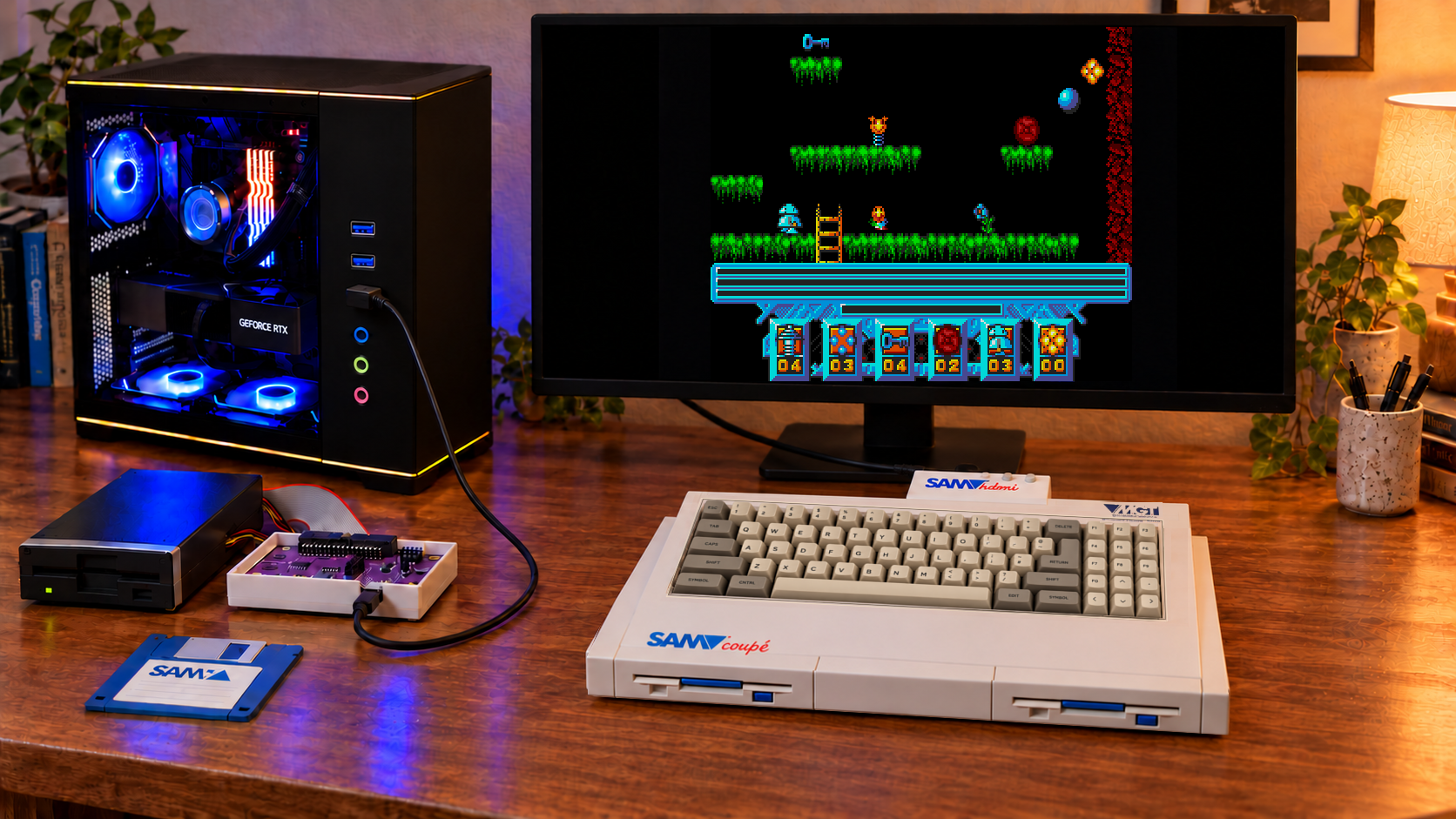
The second approach uses a 34-pin PC floppy drive, a ribbon cable, suitable power and a Greaseweazle controller. The intention is to investigate native disk writing and preservation with access beyond the limits of a standard USB floppy drive. This is the unstarted method. The drive itself is a conventional floppy drive; Greaseweazle still connects to the PC by USB.
Two clearly separated guides
I want to produce a practical guide for the USB-drive transfer route and a separate guide for the conventional-drive route. Each should explain what it can do, what equipment was used and which limitations were encountered.
A tested compatibility record
As disks are tried, I intend to record the image format, conversion steps where needed, verification result and whether the SAM loads the result. That should be more useful than suggesting that one method works for everything.
Preserve the old programs
If the original disk can be captured, I would like to identify which files survive and retain both the original capture and any recovered copies. Success will depend on the disk’s condition; this remains an aim, not a promised outcome.