
playerControl Driver
Last updated: · On hold
From the available V1 to the V2 plan
V1 provides the hardware-tested platform controls. The V2 panel describes agreed development plans, including multiple players and world integration, alongside the earlier combat direction. Planned features are not yet a completed V2 implementation.
Version 1.0Hardware-tested foundation
Movement, ladders and jumping
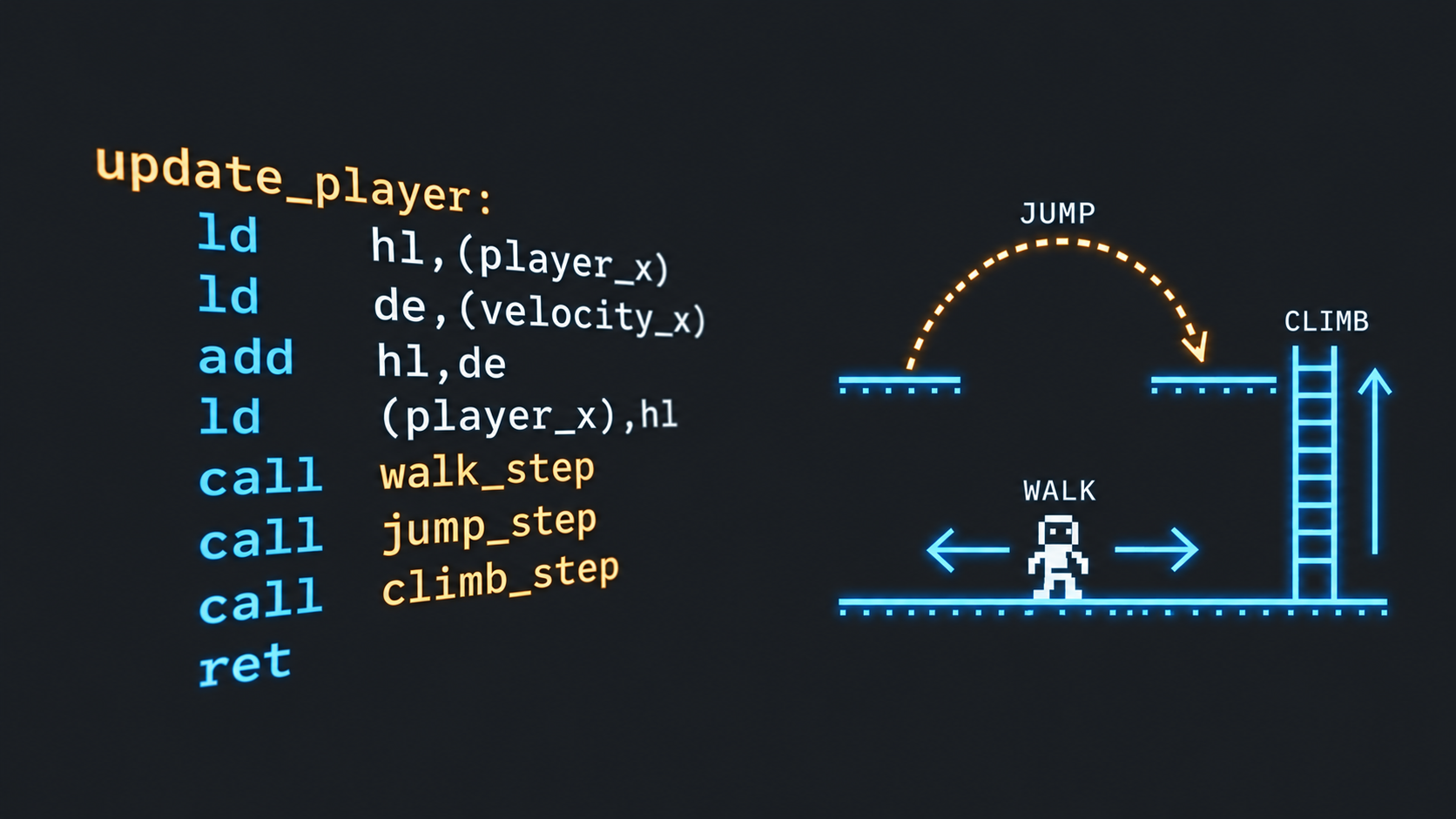
The latest build has passed hardware checks for normal movement, floor and platform jumping, gravity, collisions and ladder behaviour. The player can climb, jump away from a ladder to either side, and jump normally after reaching its top. Landing on a ladder top behaves like a normal landing; climbing artwork belongs to actually climbing.
While attached to the body of a ladder, the player cannot jump straight upwards. Briefly pressing sideways and then abandoning the departure does not bypass that rule. Jumping from the top towards the bottom of another ladder above remains possible, and the unwanted snapping and direction changes found during development have been resolved.
Super-jump and completed falls
Super-jump can be enabled or disabled by the game. When enabled, a fresh jump press while the player is still rising gives one extra upward boost. Holding jump does not repeat it, a third press adds no further boost, and it cannot be triggered while falling or after walking off a ledge.
The driver also reports how far the player has fallen when a landing completes. Walking off a platform measures from its edge; a normal jump or super-jump measures from its highest point. Climbing down does not count as a fall, and catching a ladder cancels an unfinished fall. The game will use these results to decide whether the landing is dangerous.
Configurable controls and settings
V1 already provides configurable movement, physics, sprite animation and keyboard mappings, with keyboard-only, Kempston joystick-only and combined input modes. The driver can be adapted from BASIC; those settings are established features rather than part of the new combat plan.
Version 2Planned
One to four independent players
V2 is planned to support one to four simultaneous players, each with independent position, movement, animation, settings and controls. Input can be disabled for one player while physics continues, either for a set time or until the game explicitly enables it again.
Retain the proven movement
Walking, sprinting, normal and super jumps, gravity, fall limits, completed-fall reporting and scenery collisions remain the reference. Ladder climbing, ladder sprinting, catching ladders and correct ladder-top landings must continue to work. Configurable automatic bounce on landing is a planned addition.
Respond to forces and moving scenery
One-off pushes such as knockback or explosions, and continuing influences such as wind, currents, magnetic pulls or conveyors, will affect player movement. scrollingControl supplies terrain, slope and moving-platform information; playerControl resolves the resulting position and collisions.
Optional blocking between players
Players may optionally block one another. Pushing, carrying, stacking, transferring momentum and using another player as a moving platform are outside the agreed scope.
World positions and movement limits
Each player has a starting world position, sprite-position offsets and left, right, upper and lower movement limits. playerControl owns and enforces those limits. scrollingControl owns the camera and supplies its current position, keeping movement limits separate from camera behaviour.
Report reaching a boundary once
An event will identify the player and the world edge just reached, including combined edges at a corner. It is triggered on arrival rather than repeated every frame while a player remains pressed against the edge. Moving away allows a later arrival to be reported again.
Player-aware events and sprite scaling
Events and state reports will identify which player caused them. Independent horizontal and vertical hardware sprite magnification is planned. Reducing a sprite below its normal size is not part of that magnification feature, and 8×8 sprite support has been dropped from V2.
Video timing and driver cooperation
50 Hz remains supported. Normalised physics at 60 Hz is being investigated and is not guaranteed until proved on hardware. The design must support several player instances and coexist safely with other resident drivers and NextZXOS.
Version 2: player weapons and projectiles
The planned V2 scope now includes player-owned weapons and projectiles. playerControl will retain platform-character movement while using the same intended firing, projectile and damage behaviour as shipControl and enemyControl. This expands the future plan; it does not add weapons to the existing V1 release.
Configurable firing patterns, aiming, ammunition, energy, heat and damage will let BASIC choose a weapon’s behaviour and alter it as the game develops. BASIC will continue to handle score, lives, death sequences, respawning and pickup rewards.
Responding to the wider world
Future movement work will allow the character to respond to environmental influences such as wind, currents or magnetic pulls, as well as a one-off push such as an explosion. The world system supplies the influence; playerControl applies it to the character and resolves the resulting movement and contact with the scenery.
BASIC retains the game rules
Lives, death sequences, respawning, score and pickup rewards remain in the game. Other systems can supply world information or forces, but playerControl retains responsibility for the final movement of its players.
RPG / Interaction Support — planned for Version 2
V2 is intended to extend the proven movement system to top-down games, RPGs and adventures without turning playerControl into an RPG engine.
- Gravity can be disabled; jumping, falling, ladders and other platform-specific mechanics can be disabled independently, allowing straightforward four-direction movement.
- Generic detection of entering, leaving or overlapping designated interactive sprites or objects, including more than one nearby or overlapping object where appropriate.
- An action/interact button and interaction events that identify the player, object/entity and interaction type where appropriate.
playerControl reports the interaction; it does not decide its gameplay result. If Player 1 interacts with object 17, NextBASIC decides whether that object is a suitcase, drawer, NPC, chest, door or switch, and what happens.
These are agreed architectural plans, not implemented features or a finalised API. No new parameter numbers or binary layouts are assigned here.
Movement and gameplay ownership
playerControl owns player movement, physics, collision response and player-specific state. NextBASIC owns game structure, game rules and authoritative gameplay state, including lives, scoring, inventory, dialogue, quests, health and respawning rules. scrollingControl owns scrolling, camera behaviour, world geometry and environmental systems. External systems own their forces; playerControl resolves the resulting movement and collisions. Presentation/UI drivers may react to playerControl events, but playerControl does not implement gameplay presentation.